Olympic Lifting: Analysis and Training
OlyPro™
What we do:
1) Analyze your barbell and body path
2) Detect your opportunities for growth
3) Give you drills to improve
4) Study your progress...all with just your phone and a stand (or somewhere to set it hip height)!
We don't use AI... It's all coaching and mathematician brains behind this.
Available for iOS now (Android TBD).
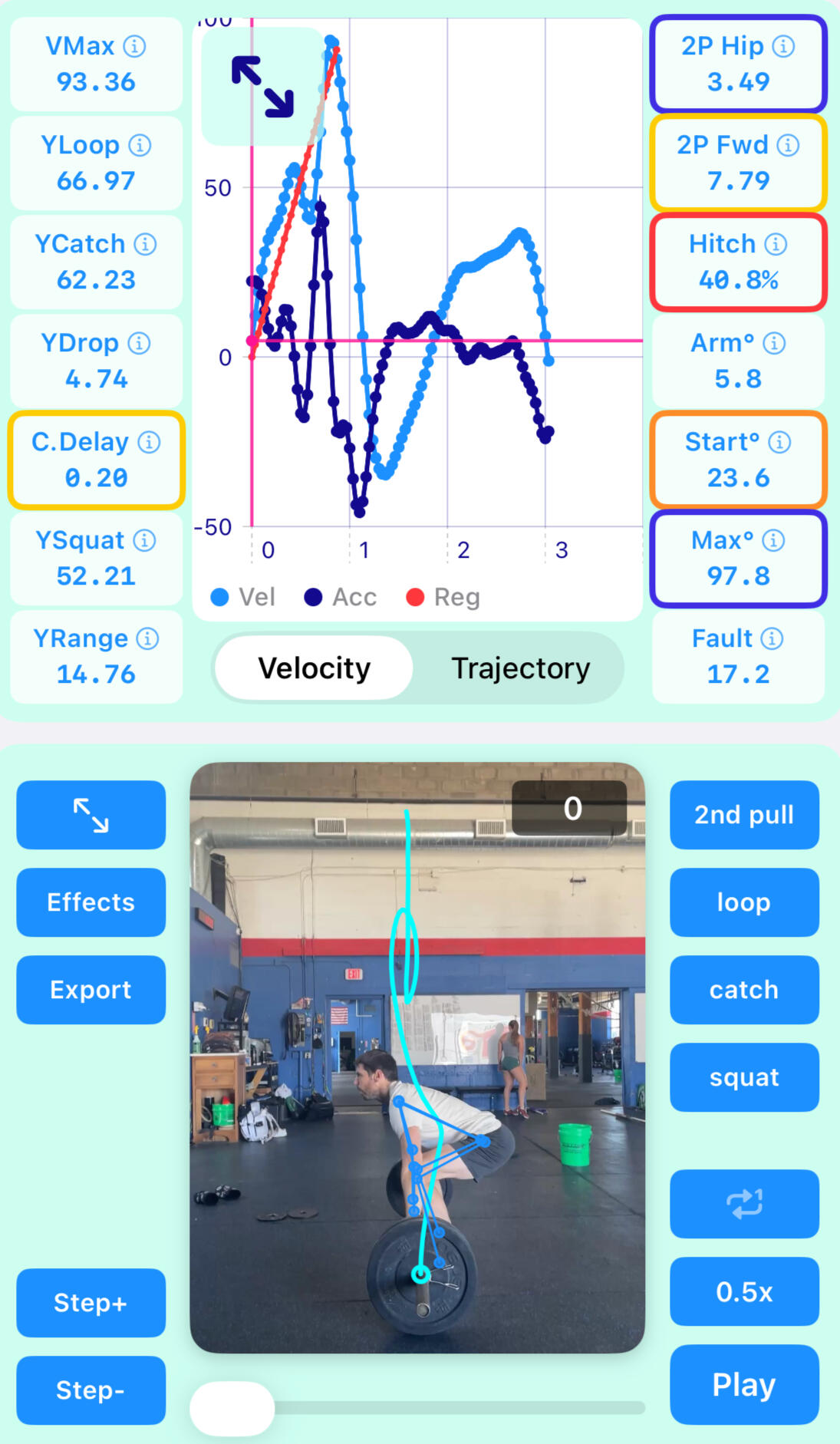
Record Competition Style Lifts
Comp Lifts
Record competition style lifts with muscle, power and full variants for clean, clean+jerk, and snatch.
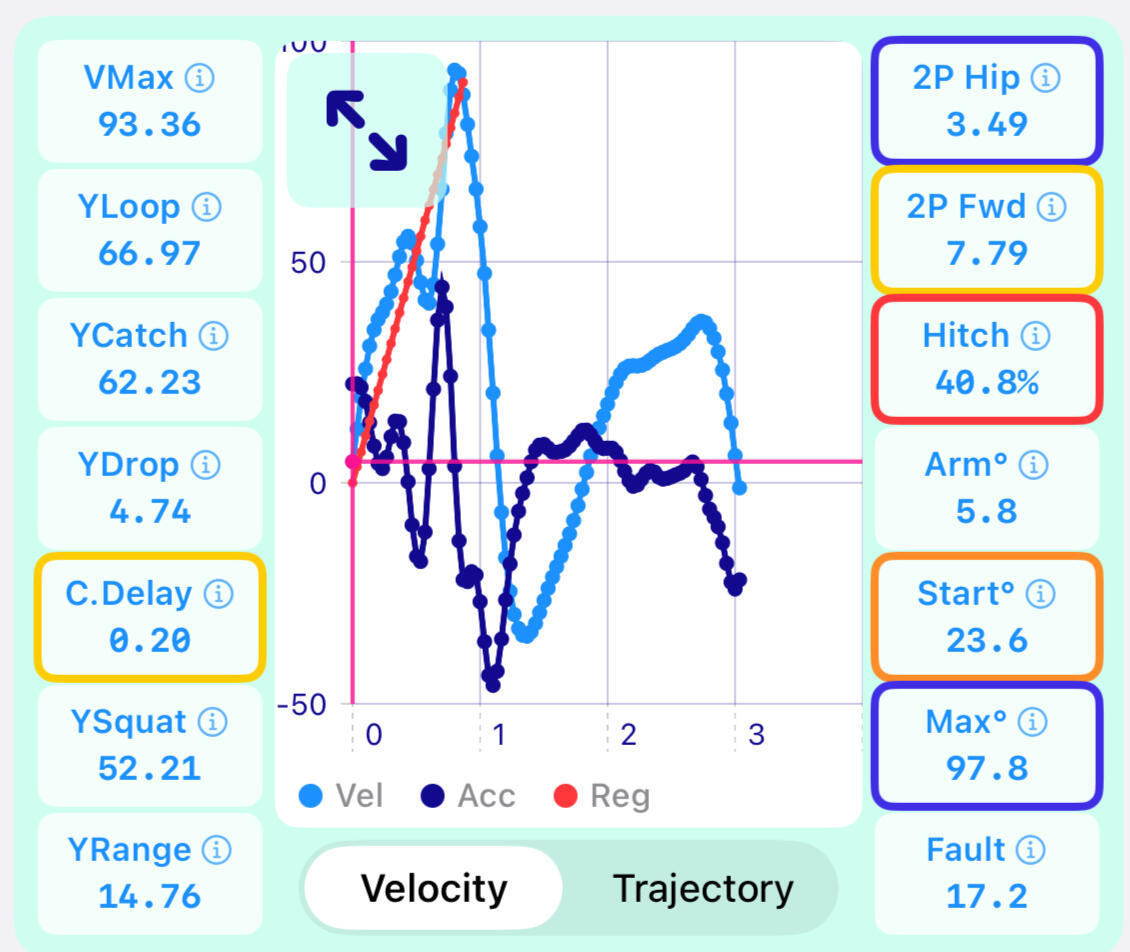
Full Analysis
Comp lifts have over a dozen metrics computed for them for advanced analysis, like comparing catch height vs squat bottom height as weight increases.
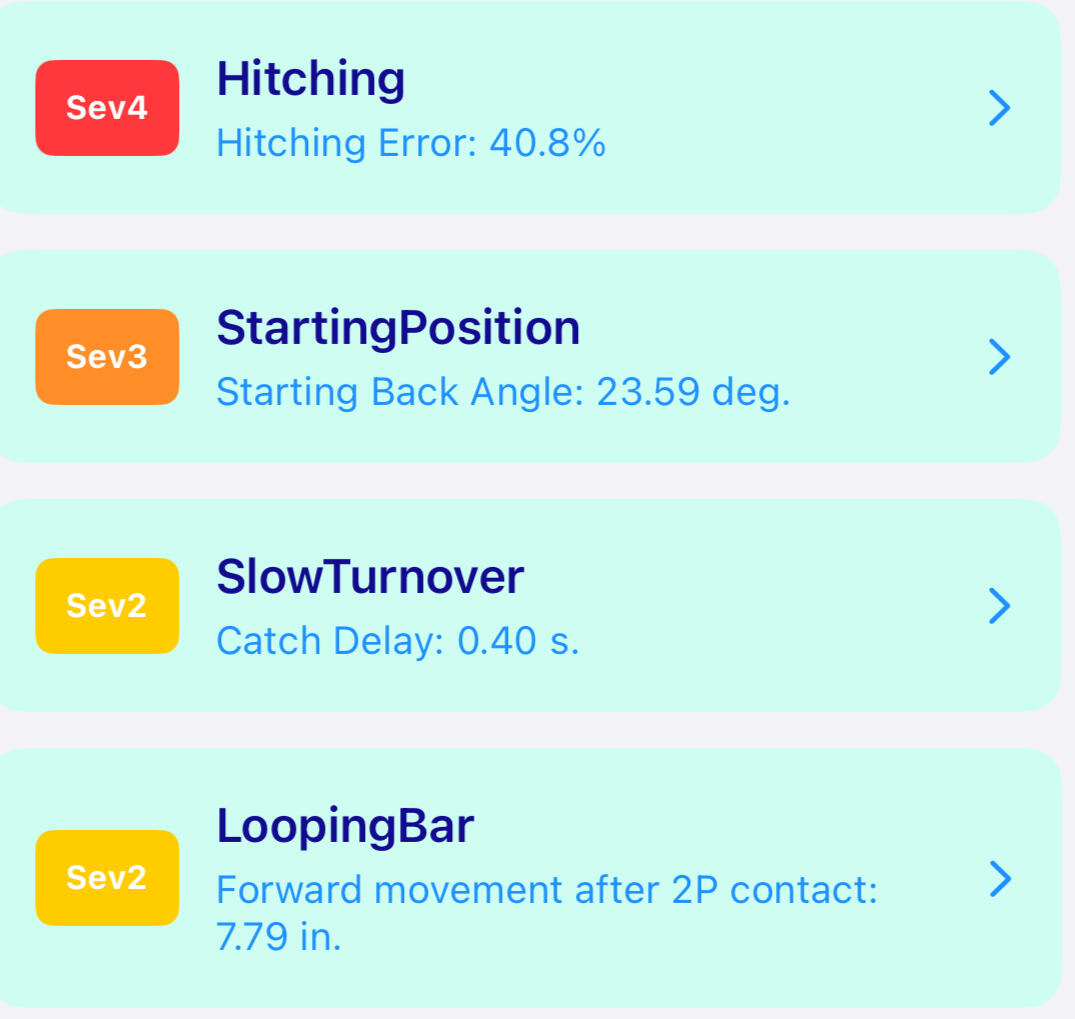
Fault Detection
Comp lifts have fault detection for all clean and snatch variants (no fault detection or metrics yet for jerks). This gives a rough fault 'score' to indicate severity of fault.
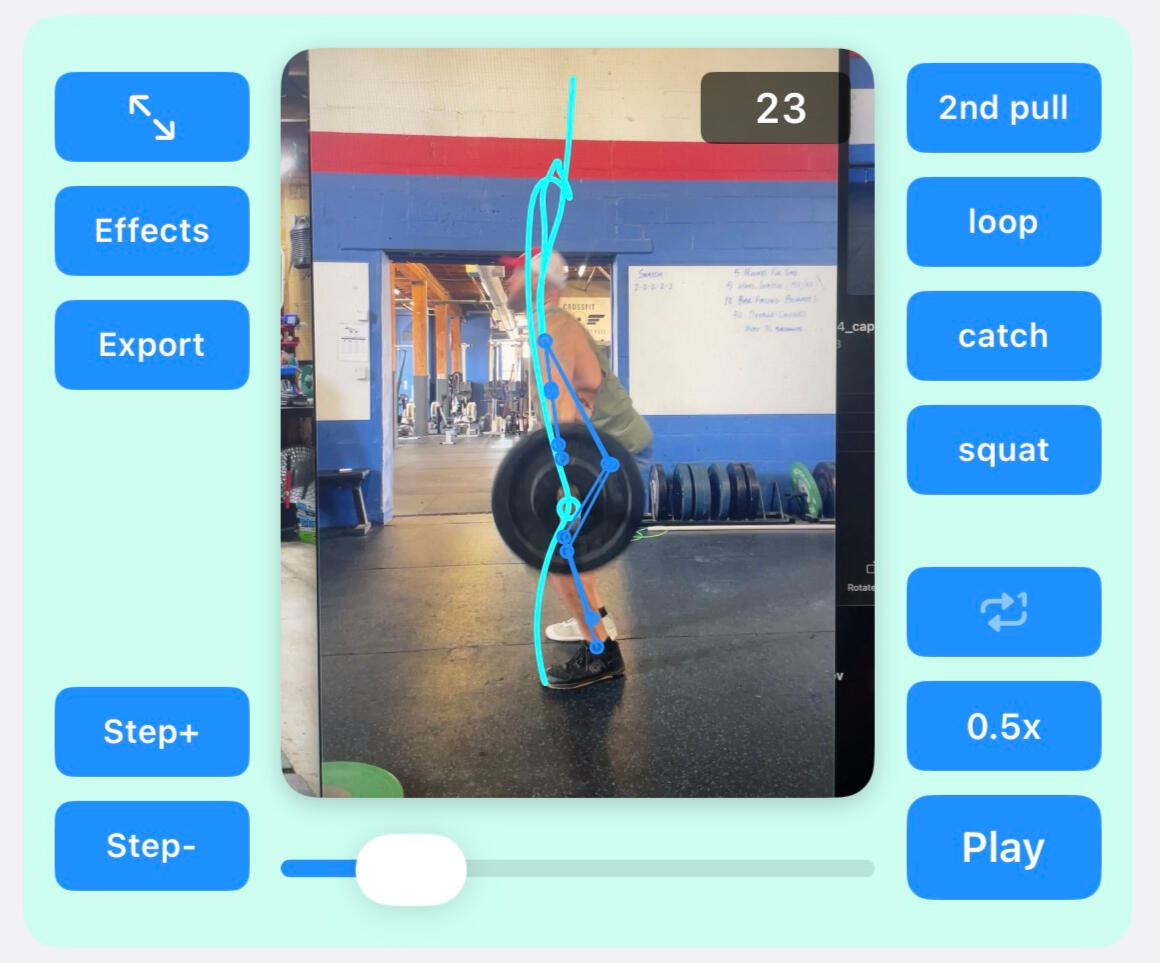
Video Review
Video is synced by-frame with data charts. This includes 'jump to' buttons which go to 'loop max' etc. Video effects can be toggled, and video exported with effects.
Record Drills
Drills and Exercises
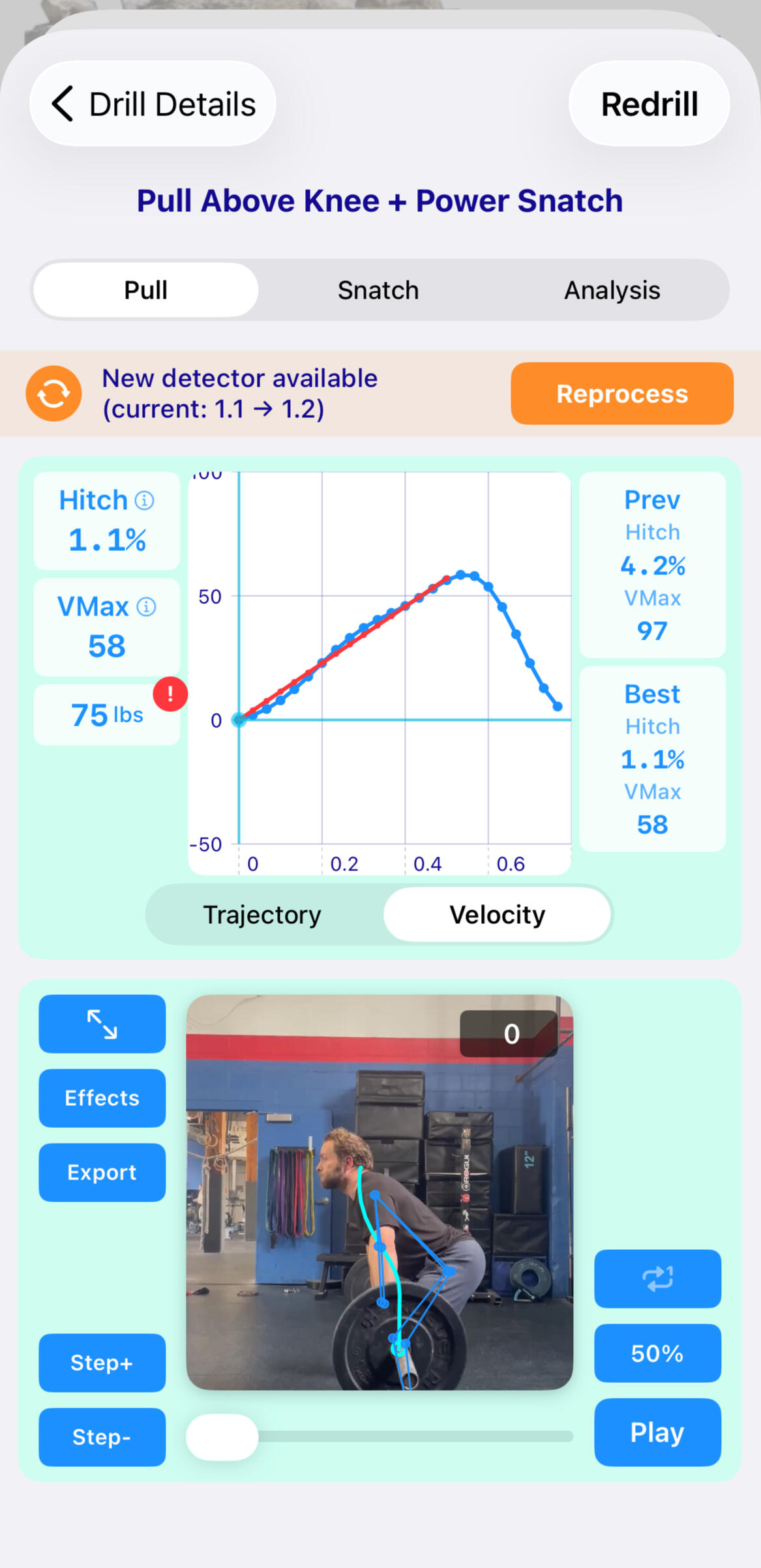
Record drills to couple fault feedback with training sessions - focus on fixing one fault metric at a time.
Suggested Drills
Comp lifts generate fault analytics which in turn give suggested targeted drills. Practice a drill before recording, or record all your drill work!
Focused Drill Metrics
Drill review pages only show targeted metrics for the fault associated with that drill. Hence, the user has only 1 or 2 metrics to focus on during a drill e.g. speed and hitching percentage (for a hitch fault drill).
Live Drill Feedback
Drills take anywhere from 2sec to 15sec to process (depending on device and drill selected) and can be used in a MetCon as a substitute for an Oly movment, or during a live Oly Drill training session.
live updates and app control
Smart Watch
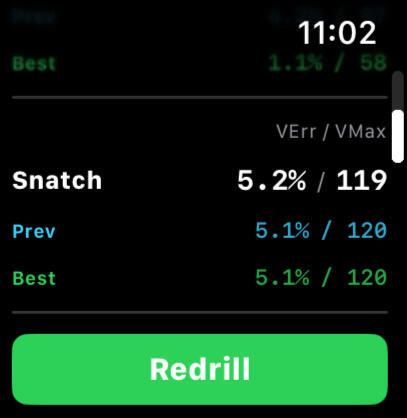
Get lift and drill updates on your watch during a workout.
Apple Watch Integration (Garmin TBD)
Drill metrics are presented live on your watch, perfect for running drills in a MetCon / Training session with live feedback. No need to walk to phone to review or restart a drill or comp lift.
Usability
Tags, Workouts, Bulk Edit...
Ease of use, preservation of data, bulk operations and future proofing are a cornerstone of OlyPro.
Tags
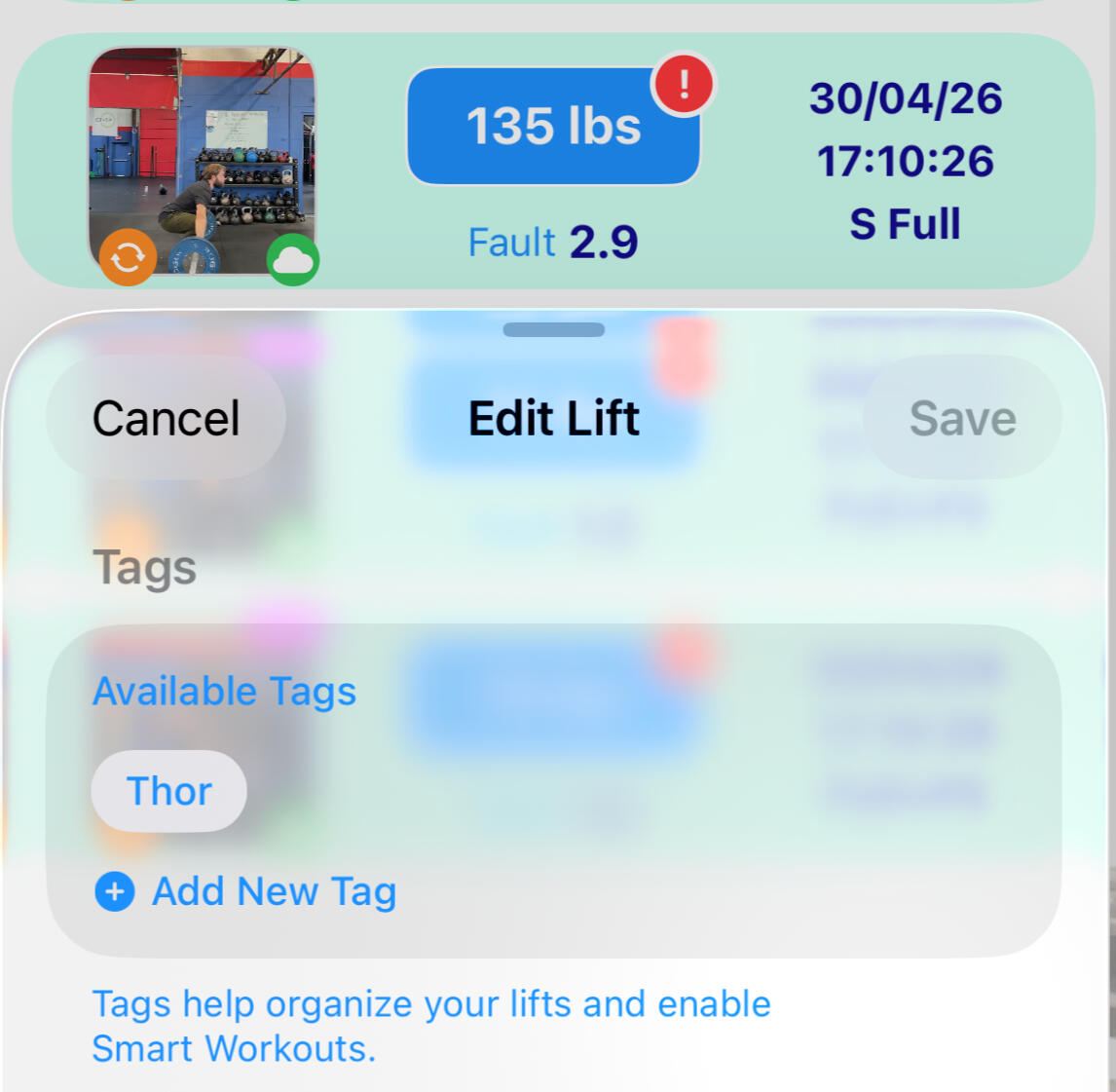
Create tags - tag lifts with things like lifter names, or for good lifts etc. You can also create a tag in the recording view to apply to all recorded lifts in a session.
Bulk Ops
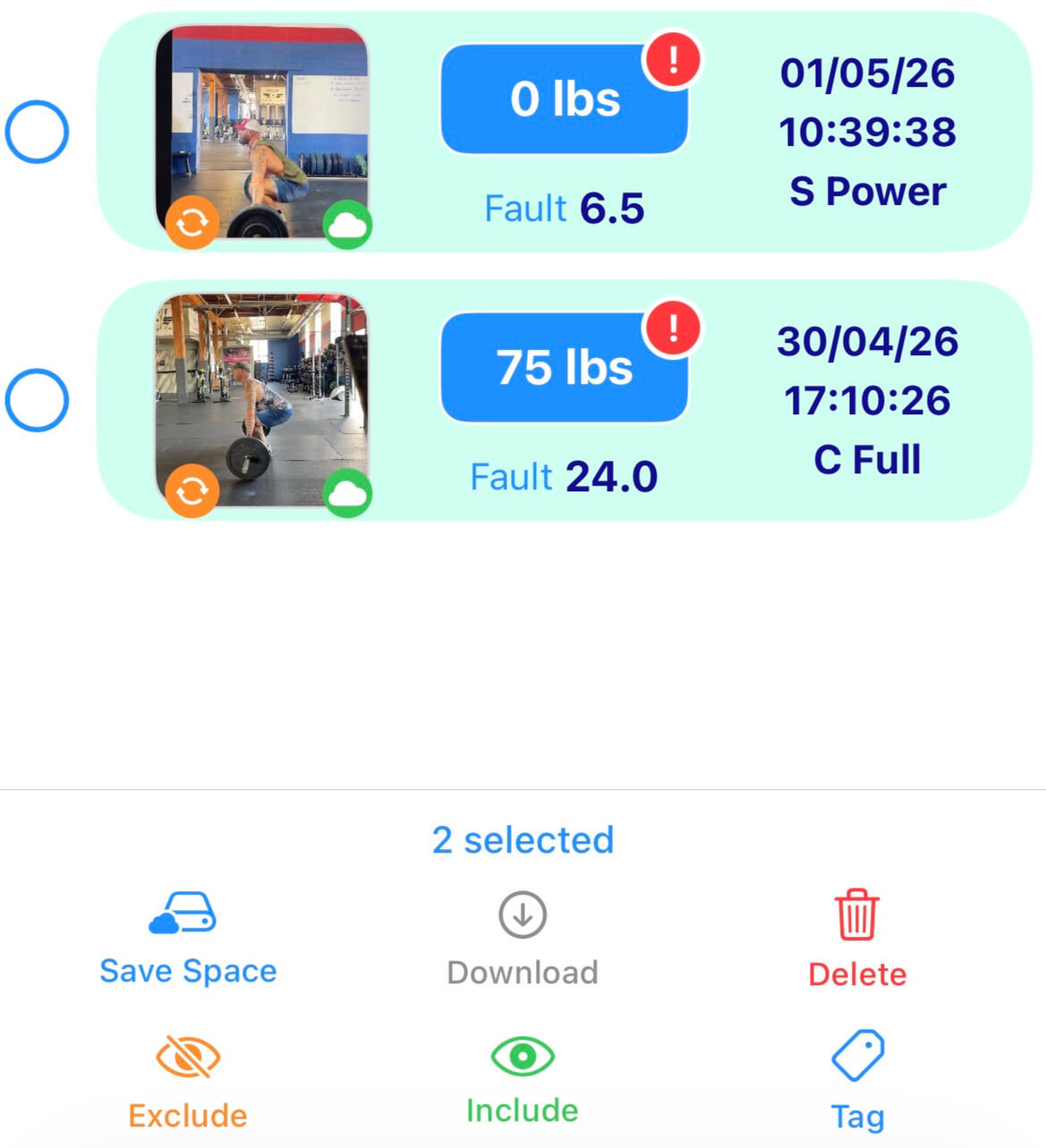
The workout table, and lifts tables (per workout) all have swipe edit functionality. They also have bulk edit capability: select multiple lifts to delete, apply tags, or 'save space'.
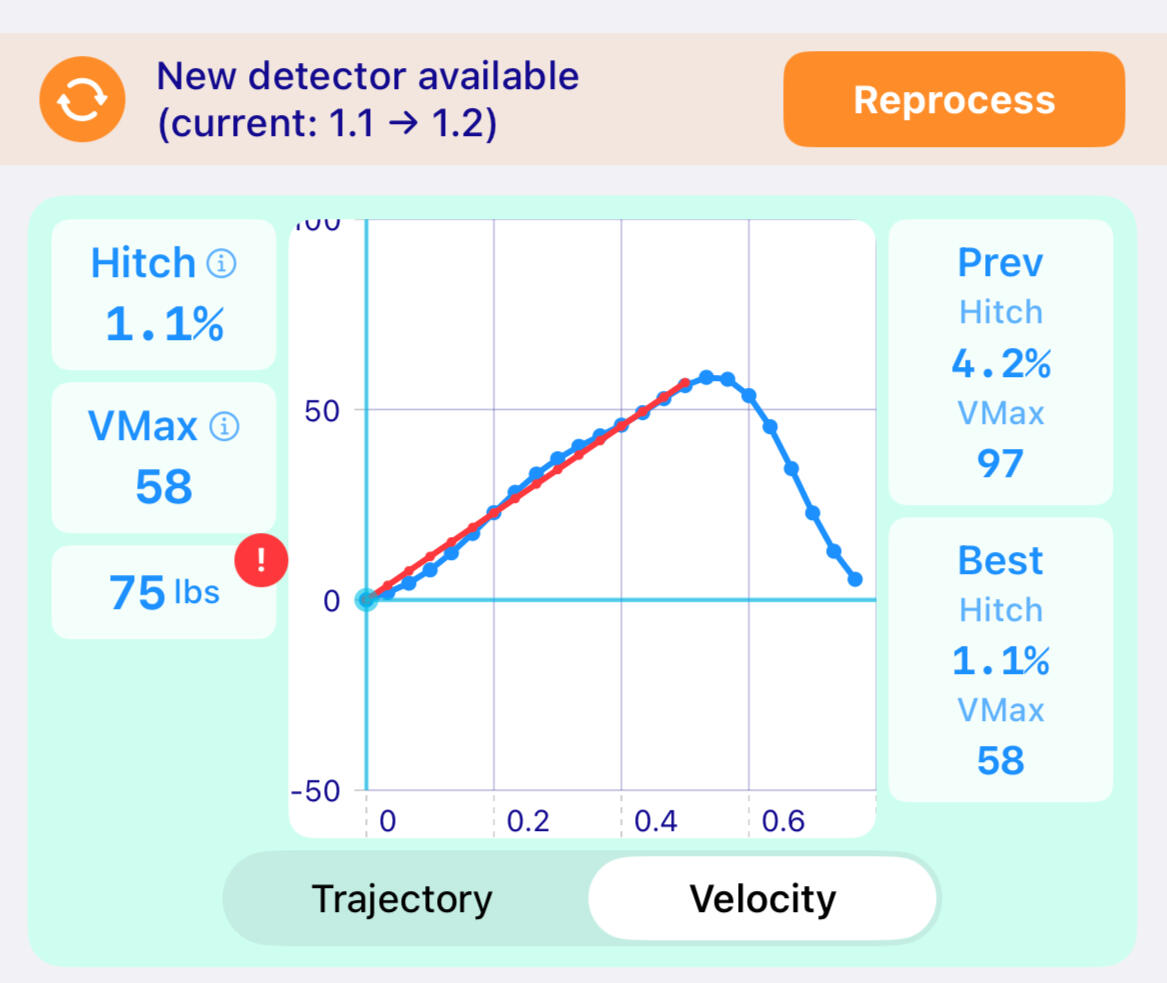
Detector Upgrades
New analytics that can be applied to existing lifts will automatically be updated. New object and pose detector upgrades are left to the user to selectively rerun.
Manage storage and lifts
Cloud and Device Storage
Maintain lift data for years while limiting device storage.
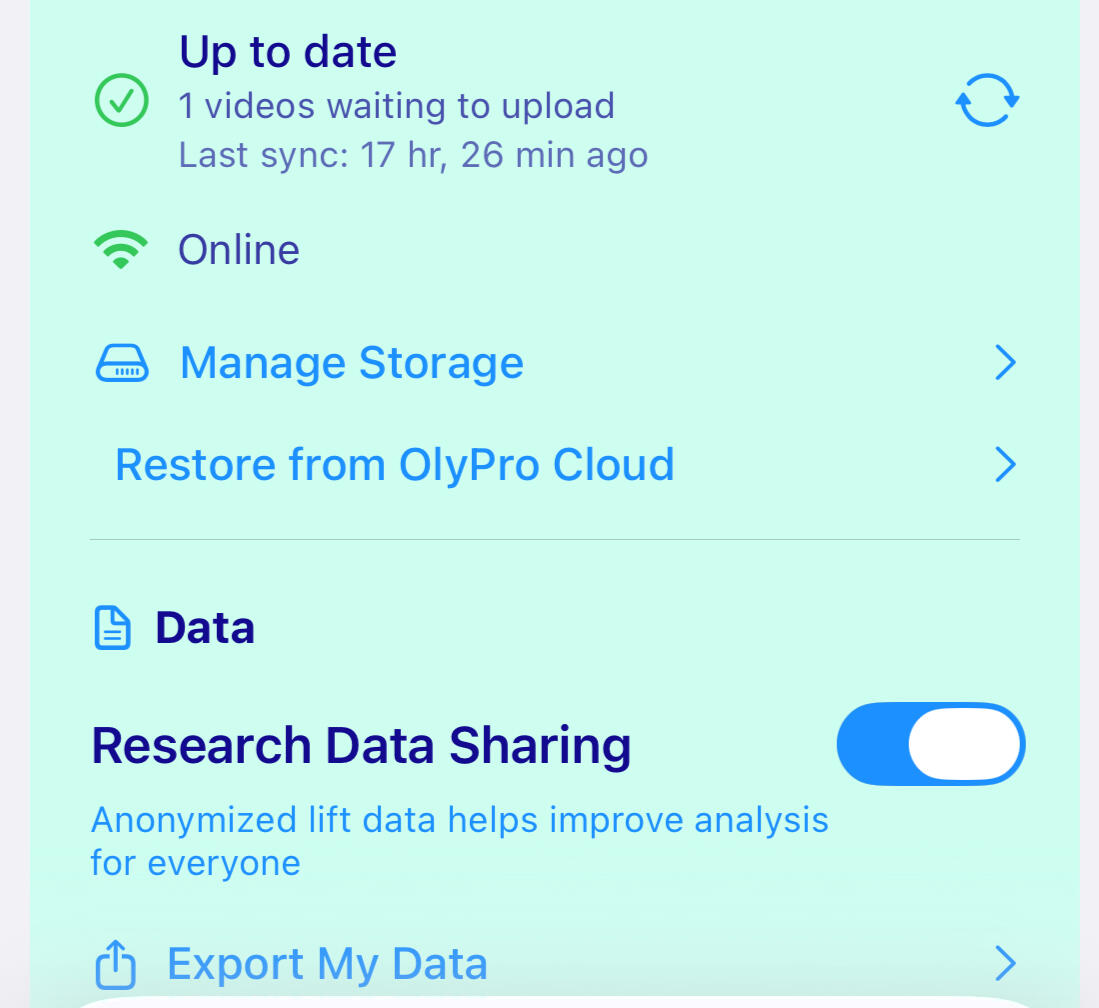
Backup
Comp and drill videos and lift data are optionally backed up to the users iCloud (Basic Tier) or OlyPro Cloud (Gold Tier).
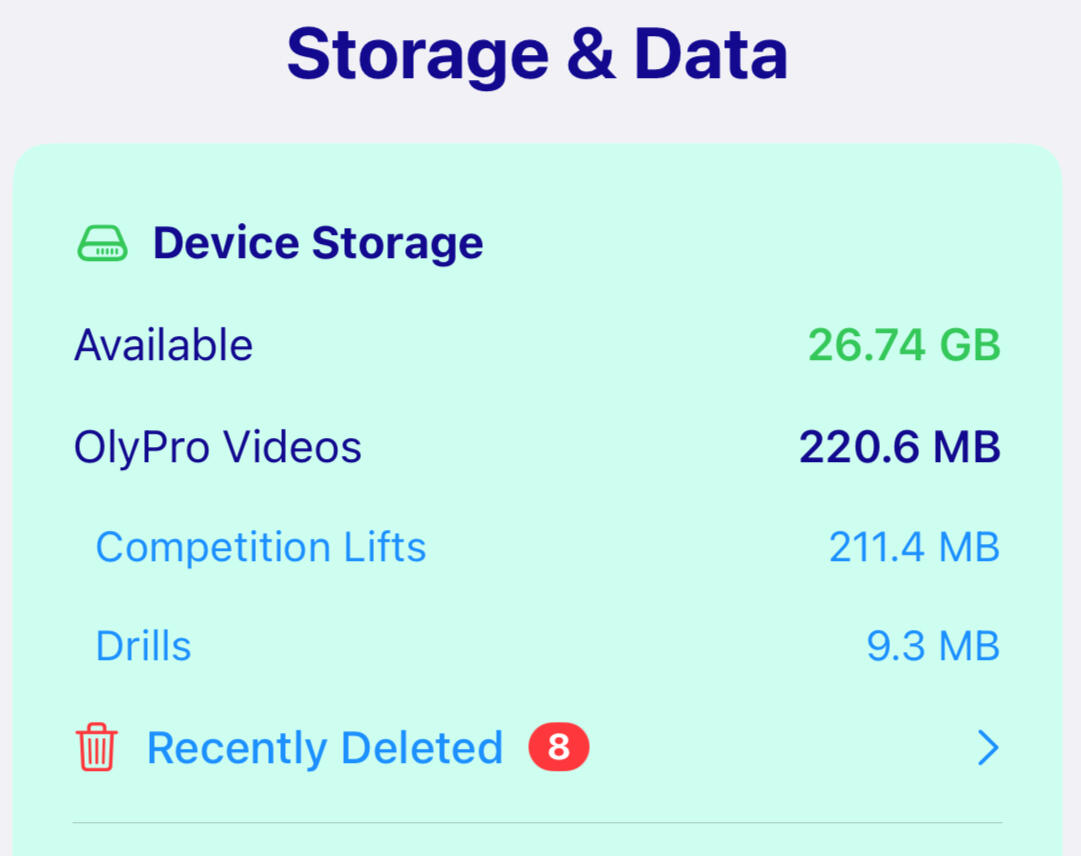
Monitor
Review OlyPro device storage, device space, and recently deleted lifts (to restore them, or to purge soft deletes).
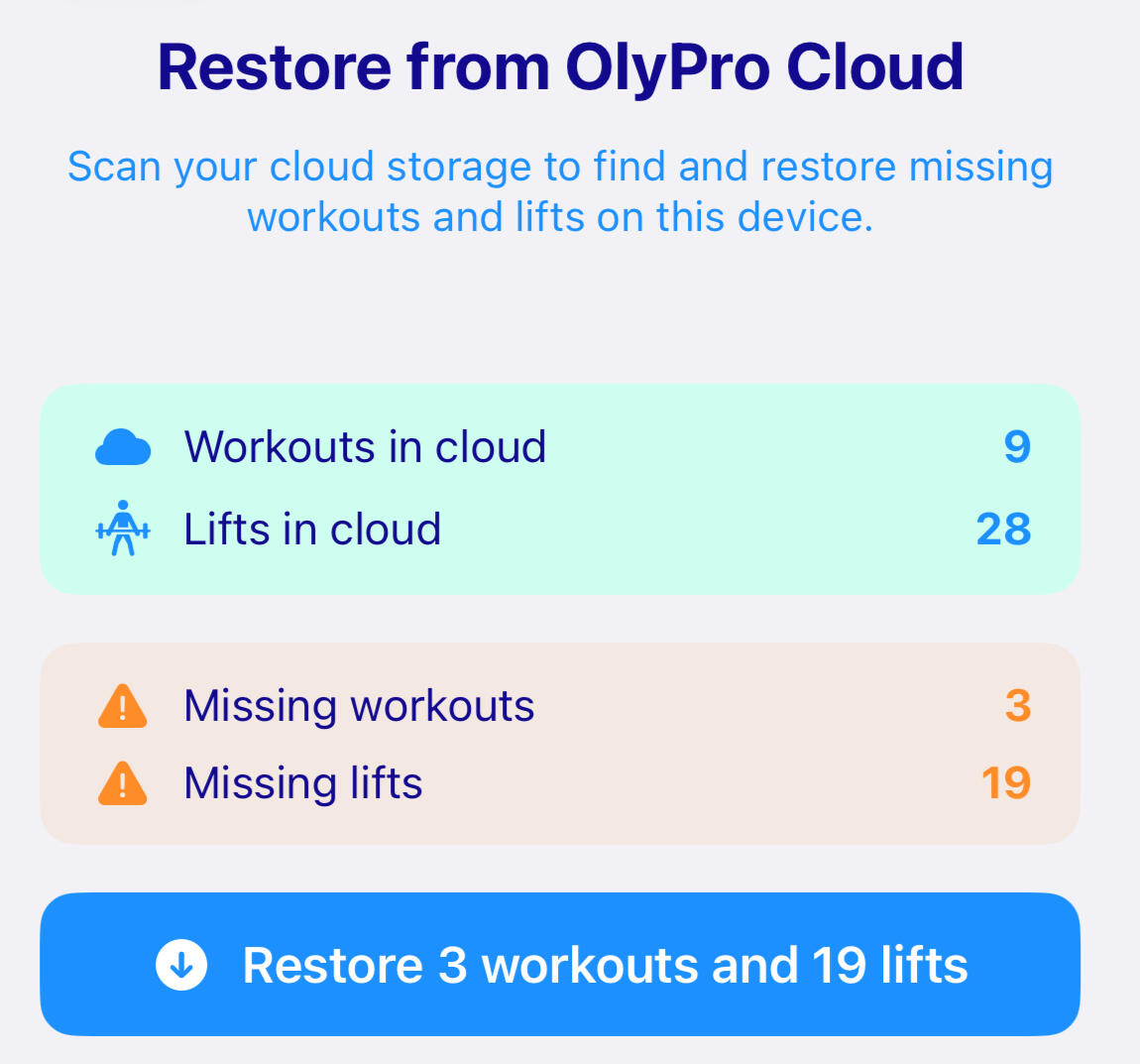
Restore
Restore orphaned lifts (video and data) from the cloud in case a phone is lost without backup data etc.
What were working on...
We are constantly improving this App. There is so much potential.
Jerk Analysis
Predict your potential Max Lifts
New Faults
Improved User Interface
45 degree filming
© Pyth14 LLC. All rights reserved.